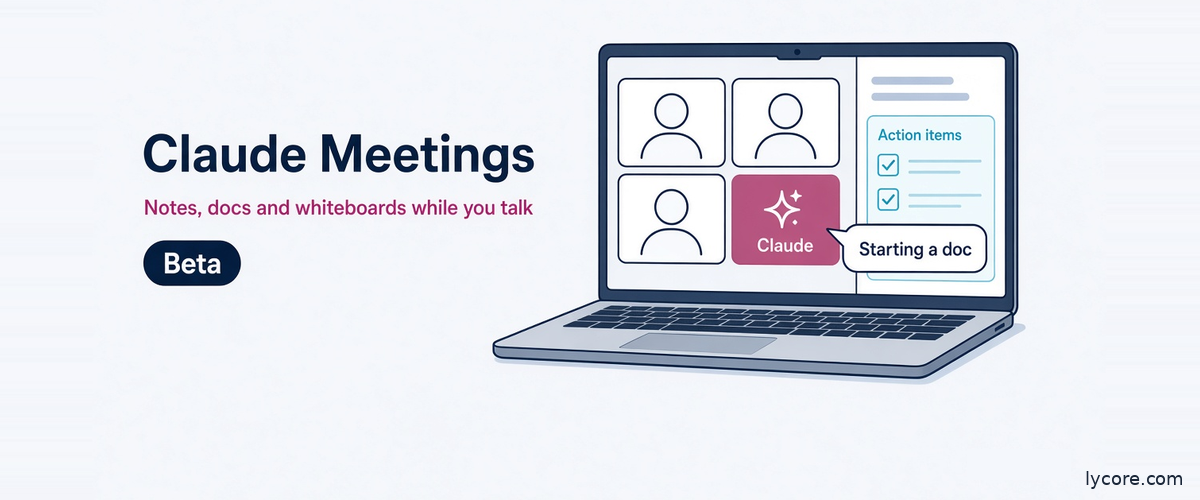
Anthropic has launched Claude Meetings, a beta feature that lets you add Claude to a video call as a visible participant. It follows the conversation, answers questions out loud or in chat, writes the notes and action items, and builds docs, whiteboards and other artifacts with your team while the meeting is still running. For software teams, it targets a familiar gap: what was agreed on a call versus what lands in the ticket tracker. This guide covers features, setup, beta pricing, privacy, how it compares with established notetakers, and what else Anthropic shipped recently.
As of November 13, 2026. Facts in this post come from Anthropic’s announcement (dated November 12, 2026), the Claude Help Center and the Claude pricing page. Beta features change quickly, so check those pages before you roll anything out.
In short: Claude Meetings lets a Team or Enterprise organization send Claude into Google Meet calls, where it takes notes, answers questions and builds docs or whiteboards live, then saves everything to a meeting page in claude.ai. It keeps a transcript, summary and screen descriptions but not audio, and owners control whether it can join calls with people from outside the organization. During the beta, notes and transcripts are included, and docs and whiteboards made in a call are free through February 10, 2027.
What Is Claude Meetings and How Does It Work?
Most AI notetakers are passive. They record, transcribe and send a summary after the call. Anthropic is pitching Claude Meetings as something closer to a teammate in the room: Claude joins as a participant with its own tile, follows the discussion, and starts work during the meeting rather than after it. Anthropic’s own example is a team planning a customer event. Someone says “Claude, start a doc for this plan,” and Claude writes up what has been said so far while teammates on the invite edit it as the conversation continues.
What Claude does during the call
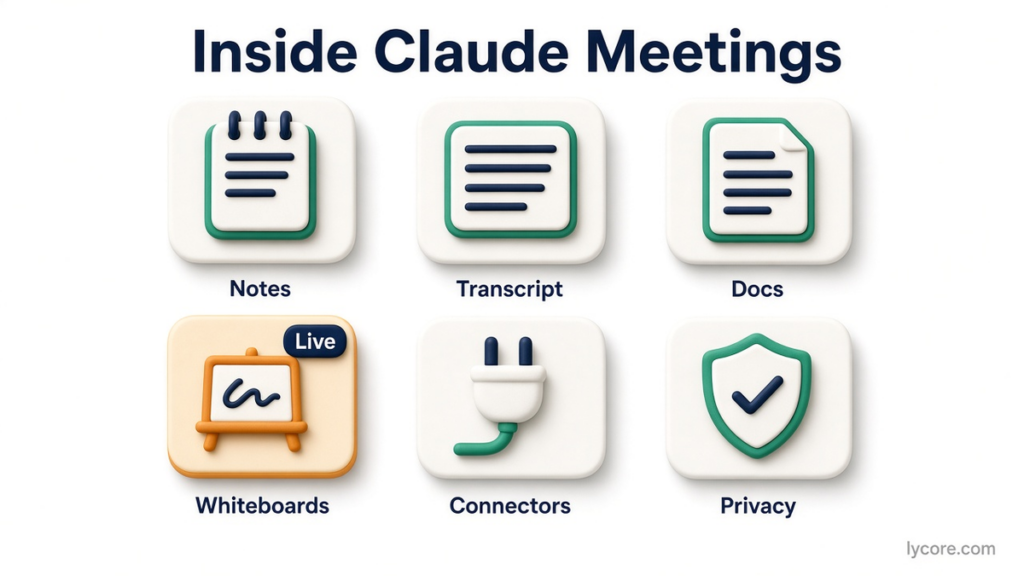
According to the Help Center, you talk to Claude by saying “Claude” followed by your question, or by typing in the Google Meet chat. By default it answers in writing in the Meet chat. Anyone on your team can ask it to make a doc or a whiteboard; all artifact types are supported, and each is attached to the meeting page. Claude can also use connected tools, such as sending a Slack message, with approval.
Claude’s tile in the call shows its current state. You can pause it by asking it to stop listening or from the meeting page, and resume it from the meeting page. To remove it, ask it to leave or select “Remove Claude.” Claude can stay in a call for up to eight hours and warns you before it leaves.
What you get after the call
Every meeting gets its own page in claude.ai with the notes (a summary plus action items), the transcript and everything Claude built. People from your organization who were on the invite receive a recap email with a link, can see the notes and can edit what Claude made. A calendar view in Meetings lists past and upcoming meetings, and in a regular Claude chat you can ask about past meetings you have access to. That turns a meeting into context Claude can draw on later for a spec or a follow-up email.
How Do You Add Claude to a Google Meet Call?
Setup runs through the calendar. The feature currently supports Google Meet only. Anthropic says other video platforms are coming soon but has not published which ones or when, so teams that run on Zoom or Microsoft Teams should treat support for those platforms as unannounced.
Step by step
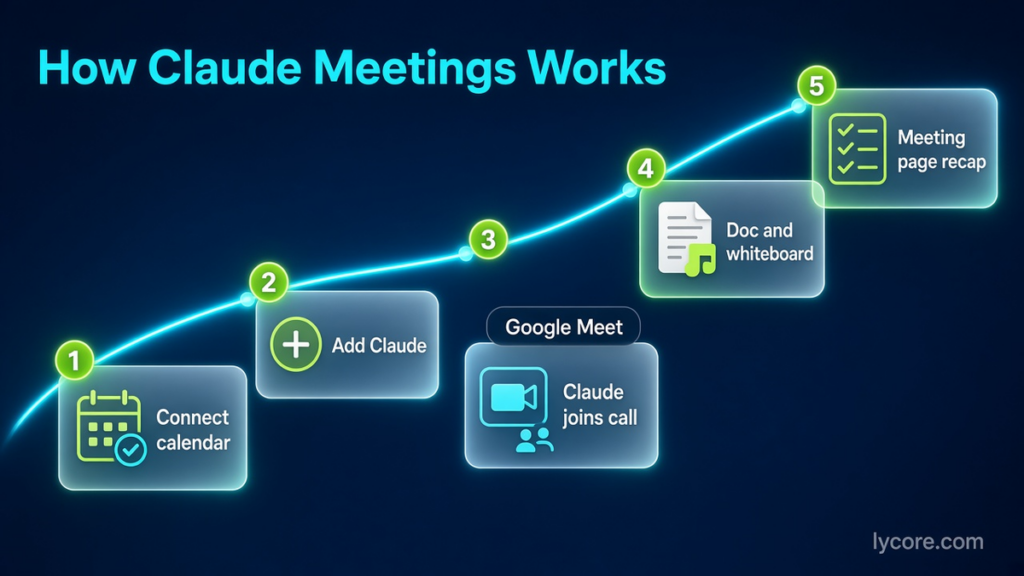
- Open Meetings in Claude (web or Claude Desktop).
- Connect your Google Calendar. An owner has to enable the Google Calendar connector for the organization first.
- Select a meeting on your calendar and click “Add Claude.”
- When Claude joins, it posts a notice and a link to the meeting page in the Meet chat. The page shows the live transcript, an internal chat and everything Claude has made.
Claude usually joins without having to ask. If it does ask, the host can let it in. If the host declines, Claude does not try that call again unless someone adds it, and you see that it was declined.
Auto-join and its limits
Each person can turn on auto-join under Settings, then Capabilities, then Meetings. The choices are all your meetings, or all your meetings except one-on-ones. Owners cannot set auto-join for you, so the decision stays with the person who owns the calendar. Excluding one-on-ones is the sensible starting point for managers.
Approvals inside the call
When Claude needs your approval to use a connected tool, the request appears in the Meet chat when possible. If it needs to confirm which Claude account you are, the request appears on the meeting page instead. Claude asks the first time it uses a given person’s tools, and a yes applies going forward. For spoken requests, it currently asks each time to confirm who is speaking, which stops one person borrowing a colleague’s access by voice.
Which Plans Include It, and What Does It Cost During the Beta?
The feature is rolling out in beta on Claude Team and Enterprise plans.
Default settings by plan
On Team plans, the feature is on by default for everyone and an owner can turn it off. On Enterprise plans, the feature is off by default. An owner turns it on for everyone or for part of the organization through custom roles. Owners and Primary Owners manage this under Organization settings, Products, Claude Meetings (beta). A third setting, members’ connectors in meetings, controls whether Claude can use people’s connected tools during calls at all.
While it is in beta, the feature is not available to some organizations, including those with zero data retention or customer-managed encryption keys. If your company negotiated either of those with Anthropic, plan to wait.
What the beta costs
Anthropic has not published a separate price for the feature. During the beta, notes, transcripts and in-call answers are included on Team and Enterprise. Answers that use a connected tool count toward the person’s plan usage and, per the Help Center, can lead to charges for the organization. Docs, whiteboards and other artifacts made in a meeting are free through February 10, 2027. What happens after that date has not been announced.
For context, the Claude pricing page lists the Team plan at USD 20 per standard seat per month billed annually (USD 25 monthly) and USD 100 per premium seat per month billed annually (USD 125 monthly), for teams of 2 to 150. Self-serve Enterprise is listed at USD 20 per seat per month billed annually with a 20-seat minimum, plus usage at API rates. Those are prices as of November 2026, and the pricing page did not yet mention Claude Meetings when we checked.
How Does Claude Handle Privacy, Consent and Outside Guests on Calls?
This is the section to read twice before turning anything on, especially if your team runs client calls.
What Claude captures and who sees it
When Claude joins, it appears as a participant and posts a notice in the call’s chat. It saves a transcript, a summary and descriptions of shared screens, and Anthropic states plainly that it does not save audio. Anything Claude posts in the Meet chat is visible to everyone on the call, while the chat on the Claude meeting page is internal to your organization. Anthropic’s guidance is direct: before you add Claude or turn on auto-join, make sure everyone on your calls is OK with being transcribed. Anthropic has not published a retention period specific to meeting pages, so ask your account team how meeting data interacts with your organization’s existing retention settings.
Outside guests and other notetaker bots
Check this setting first, because the defaults differ by plan. On Enterprise, outside guests are blocked until an owner allows them. On Team plans, the Help Center says calls with outside guests are allowed by default and an owner can turn that off. When guests are not allowed, Claude stays out of calls where someone from outside your organization is invited, and leaves if an outsider joins partway through, including another company’s notetaker bot. When an owner allows outside guests, Claude listens and takes notes, posts its notice in the chat, but does not reply in the chat. What guests say goes into the notes and transcript. Guests do not get the meeting page or the recap email. Each person also has their own “Meetings with external guests” setting.
Questions to raise with counsel
This is not legal advice. Several US states require the consent of every party before a conversation is recorded, and clients and contractors may join from any of them. Before allowing Claude on calls with outside guests, a US software team should ask its lawyer questions like these:
- Does a text transcript with no audio change our obligations under all-party consent laws, or should we treat it the same as a recording?
- Is Claude’s chat notice enough, or do we need verbal consent at the start of the call or a line in the calendar invite?
- Do our client contracts, NDAs or statements of work restrict transcription or third-party AI processing of meeting content?
- How long should we keep meeting pages, and who inside the company should be able to search them?
How Does Claude Meetings Compare With Otter, Fireflies and Granola?
Anthropic is entering a crowded category, and interestingly it lists Otter, Fireflies.ai and Granola among its launch partners, alongside Gong, Attention and Plaud. Anthropic says you will “soon” be able to send a meeting’s transcript to those tools, so it is positioning Claude as a collaborator in the call rather than a replacement for everything a notetaker does. The table below sticks to points each vendor states on its own pages as of November 13, 2026. We left out plan prices for the other tools because they change often and depend on billing terms.
| Dimension | Claude Meetings (beta) | Otter | Fireflies.ai | Granola |
|---|---|---|---|---|
| Meeting platforms stated | Google Meet only for now; others coming soon | Zoom, Microsoft Teams, Google Meet | Zoom, Google Meet, Microsoft Teams and 10+ others | Zoom, Google Meet, Teams and other meeting apps |
| How it captures the call | Joins as a visible participant | Joins meetings to write and share notes | Bot, or a Chrome extension without the bot | Computer audio, no bot joins |
| Audio kept | No: transcript, summary and screen descriptions only | Audio recording playback listed | Audio and video recording listed | Audio deleted after transcription |
| Who can get it | Claude Team and Enterprise plans | Free plan available | Free plan available | Free to start |
| Builds docs or whiteboards live in the call | Yes, as Claude artifacts | Not stated on pages reviewed | Not stated on pages reviewed | Not stated on pages reviewed |
Where each approach fits
If your company lives on Zoom or Teams, an established notetaker is the practical choice today, because Claude only supports Google Meet. If your team already works in Claude, the native option keeps the doc, whiteboard and transcript next to your other Claude work. It is the same pattern as Claude Tag in Slack: Claude in a shared space under admin rules.
What Else Has Anthropic Launched in Claude Recently?
The meeting feature did not arrive alone. Anthropic’s November 10 announcement said “Claude Meetings is coming soon” and shipped several pieces it depends on. Here is what we could verify on first-party pages.
Sheets, Whiteboards and Claude Data (November 10)
Claude Whiteboards and Claude Sheets launched in beta, and Claude Dashboards became generally available under a new name, Claude Data. All three are on paid plans and work on web, desktop and mobile. Whiteboards matters most for meetings: Claude turns a spoken plan into a board with a timeline, owners and dates, groups retro notes by theme, and can export to a doc, deck, Lucid, Miro or Vani by Zoho. Sheets supports tabs, formulas and drop-downs with .xlsx or CSV export. Claude Data adds certified queries and live sharing in beta. On Team plans all three are on by default. On Enterprise, Whiteboards and Sheets are off by default, and Claude Data turns on by default on November 19, 2026.
Interactive connectors and auto-connect (November 10)
Interactive connectors can now open a full tool beside the conversation or full screen, and Claude can make changes in it with your approval. Anthropic named Asana, Canva, Carta, Dropbox, monday.com, Smartsheet, Vercel and Webflow as the first group, plus Adobe, Atlassian Confluence, Box, HubSpot and Notion. These run on MCP Apps, an extension of the Model Context Protocol, and developer support is in public preview. Claude auto-connect, in beta on eligible Team and Enterprise plans, turns connecting an app like Notion, Atlassian or Dropbox into a one-time admin setup.
Earlier and parallel launches
On November 12, Anthropic also announced self-hosted Claude Managed Agents in private beta, which runs the agent harness, sandboxes, credentials and session history in your own cloud or on-premise, and Claude for Manufacturing, a plugin with 17 skills for Team and Enterprise plans. In late October, Claude Duet opened as a waitlisted research preview for US Pro, Max and Ultra subscribers (October 21), and the unified chat-plus-Cowork experience became generally available on Enterprise (October 23). If you are weighing Claude’s agent features against automation platforms, our Claude Cowork vs Zapier vs n8n comparison covers that trade-off.
What Does an AI Meeting Participant Mean for Software Teams?
For product and engineering teams, the useful question is not whether Claude can summarize a call. Every notetaker does that. It is whether the output of a call can go straight into the artifacts your delivery process runs on, with less re-typing and fewer lost decisions.
Standups and internal planning
Internal calls are the low-risk place to start, because the default settings already keep Claude out of anything with outside guests. Try it on sprint planning and retros first. A whiteboard of the retro, grouped by theme, with action items per person, is a concrete artifact you can check against what you would have written by hand. For daily standups, the value is lower. Where it helps is the standup that turns into a design discussion: ask Claude to start a doc and capture the decision before everyone drops off.
Client calls and requirements capture
Requirements calls are where agencies and in-house teams lose the most detail. Turning “the admin should be able to export last month’s invoices, but only for their region” into a ticket with acceptance criteria usually happens hours later from memory. A live doc your team edits during the call, shared on screen if the client should follow along, plus a transcript you can query later from a normal Claude chat, narrows that gap. Two caveats: guests do not get the meeting page, and the consent questions above need answers before the first client call. We build task tooling ourselves; Stride, a project management app Lycore designed and built, has AI helpers that turn plain English into tasks and break work down, which is the same capture-to-ticket problem from the other side.
Wiring meetings into your own tools
Claude can use connected tools in a call, so a Jira, Linear or GitHub connector could in principle turn an action item into a ticket on the spot, subject to the per-person approval flow and the owner’s “members’ connectors in meetings” setting. Test that on internal calls first, and keep a human reviewing every ticket it creates. Developers who live in the terminal will still do most of their implementation work in tools like those covered in our Claude Code vs GitHub Copilot guide. Meetings feeds the planning side of that loop.
Pros and Cons of Claude Meetings
Pros
- Builds docs, whiteboards and other artifacts live, so decisions are captured while everyone is still on the call.
- Meeting pages become context you can ask about later from a normal Claude chat.
- Clear privacy signals: visible participant, chat notice, no audio saved, and owner control over calls with outside guests.
- Per-person tool permissions and speaker confirmation for spoken requests.
- Notes, transcripts and plain answers are included on Team and Enterprise during the beta.
Cons
- Google Meet only for now, with no published dates for Zoom or Teams.
- Team and Enterprise only, and not available to organizations with zero data retention or customer-managed encryption keys during the beta.
- Pricing for artifacts after February 10, 2027 has not been announced, and connected-tool use counts toward usage now.
- No audio playback, which some teams rely on to check what was actually said.
- Transcript export to partner tools such as Otter or Granola is announced but not yet live.
Frequently Asked Questions
Does Claude Meetings work with Zoom or Microsoft Teams?
Not yet. As of November 13, 2026, Anthropic supports Google Meet only and says other video conferencing platforms are coming soon, without naming them or giving dates. If most of your calls run on Zoom or Teams, keep using a notetaker that supports your platform and bring transcripts into Claude through a connector or file upload, or trial the feature on calls that already run on Meet. Anthropic is also working with partners including Otter, Fireflies.ai and Granola so transcripts can be sent to those tools. That integration is announced as coming soon rather than available today, but it suggests many teams will run both kinds of product side by side.
Does Claude record audio of my meetings?
According to Anthropic, no. When Claude joins, it appears as a participant, posts a notice in the call’s chat, and saves a transcript, a summary and descriptions of shared screens, not audio. That is a meaningful difference from notetakers that keep audio or video playback. It does not remove the need for consent, though. Anthropic itself tells users to make sure everyone on a call is comfortable being transcribed before adding Claude or turning on auto-join. How transcript-only capture is treated under state recording laws is a question for your lawyer. Anthropic has not published a retention period specific to meeting pages, so check how they fit your organization’s data retention settings.
How much does Claude Meetings cost?
There is no separate price published for the beta. Notes, transcripts and answers that do not use connected tools are included on Claude Team and Enterprise plans. Answers that use a connected tool count toward the person’s usage and can lead to charges for the organization. Docs, whiteboards and other artifacts made in a meeting are free through February 10, 2027, and Anthropic has not said what happens after that. You still need a Team or Enterprise plan; as of November 2026, Team standard seats are listed at USD 20 per month billed annually. Check the pricing page before budgeting, since beta terms can change.
The Bottom Line
Claude Meetings is a first version with clear limits: Google Meet only, Team and Enterprise only, and pricing for live artifacts settled only through early 2027. It is worth testing because it does work inside the meeting, with clear privacy signals and owner controls. For software teams, start with internal planning calls and retros, measure whether the docs and action items it produces need less cleanup than your current notes, and settle the consent questions with counsel before Claude ever joins a client call. If it holds up, the payoff is fewer lost decisions between the call and the ticket.
Adding AI agents or meeting-to-ticket workflows to your own product? Talk to Lycore at https://www.lycore.com/contact-us/. See our AI development services for how we build with Claude and MCP, at USD 25 per hour, a fixed project price or a monthly retainer.