
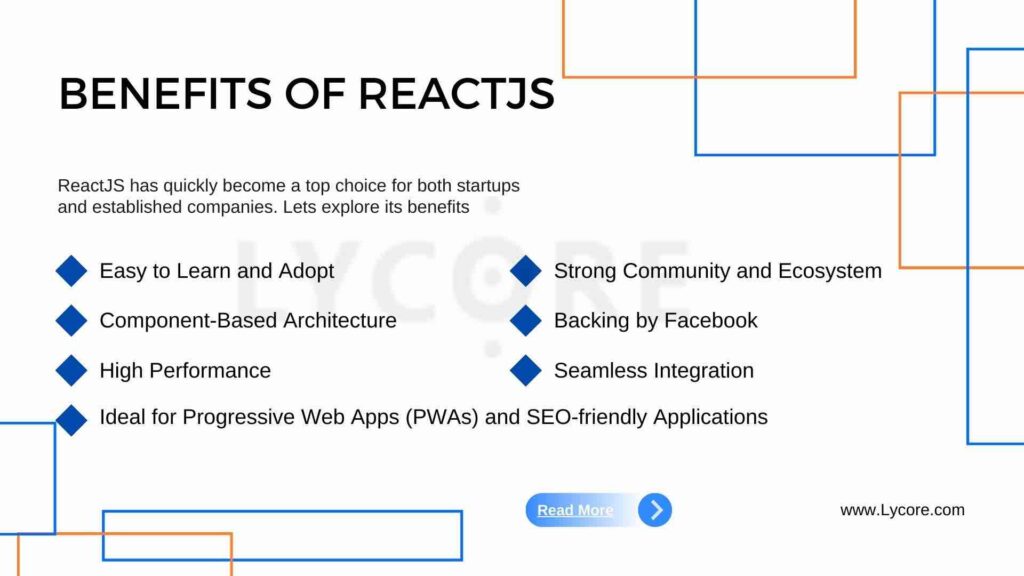
The main benefits of ReactJS are a component model that keeps large interfaces maintainable, a mature ecosystem of frameworks and libraries, a very large hiring pool, and a clear path from web to mobile through React Native. For most US startups and product teams building an interactive web application in 2026, React is a safe default, but it is not the right answer for every project, and the way you use it (framework, rendering strategy, state management) matters as much as the choice itself. This guide explains what React actually gives you today, where it costs you, and how to decide whether it fits your project.
Key takeaways
- React is a UI library, not a full framework, so most new projects pair it with Next.js, React Router or Vite to handle routing, data loading and builds.
- The biggest practical benefits of ReactJS are reusable components, a deep library ecosystem and a large pool of developers who already know it well.
- React 19 brought Server Components and Actions into the stable release, and the React Compiler reached 1.0, which reduces manual performance tuning in many apps.
- React is a weaker fit for mostly static content sites, very small widgets and teams that want one opinionated framework making every architectural decision.
- Governance moved from Meta to the React Foundation under the Linux Foundation, which lowers the single-vendor risk that some CTOs used to raise.
What ReactJS Is in 2026 and Why the Definition Matters
React is an open-source JavaScript library for building user interfaces. Meta (then Facebook) released it in 2013, and it has since become the most widely used way to build interactive front ends on the web. The important word is library. React handles one job very well: turning application state into a rendered interface and keeping that interface in sync as the state changes. It does not ship with a router, a data-fetching layer, a build tool or an opinion on how your backend should look.
React versus a framework built on React
That gap used to be filled by Create React App, a starter toolkit that generated a single-page application. The React team deprecated Create React App in early 2025, and the official documentation now recommends starting with a framework. In practice that means one of three paths for most teams:
- Next.js, the most common choice for products that need server rendering, SEO-friendly pages and API routes in one codebase.
- React Router in framework mode (the project that absorbed Remix), which suits teams that want web-standard data loading and forms.
- Vite with React for a client-rendered single-page app, typically an internal dashboard or a tool that sits behind a login.
This distinction matters for decision-makers because a lot of older advice about React (for example, that it is bad for SEO) describes a client-only setup that few new projects use anymore. When someone says ‘we use React’, ask which framework and rendering model they mean.
What changed with React 19
The React 19 line made several long-running ideas stable. Server Components let parts of the UI render on the server and send finished HTML and data to the browser without shipping that component code as JavaScript. Actions and hooks such as useActionState and useOptimistic simplify form handling and optimistic updates, which previously needed a lot of boilerplate. The React Compiler, which reached its 1.0 release in late 2025, automatically memoizes components and values, so developers spend less time hand-writing useMemo and useCallback to avoid wasted re-renders. None of these features are mandatory, which is part of React’s appeal: an existing app can adopt them gradually.
The Core Benefits of ReactJS for Product Teams
The benefits that matter most to a business are not the ones in most feature lists. Virtual DOM performance gets a lot of attention, but the advantages that actually change delivery speed and long-term cost are about structure, people and reuse.
Component-based architecture
A React interface is a tree of components: a button, a form field, a pricing card, a full checkout step. Each component owns its markup, its behavior and (optionally) its local state. That structure has three concrete effects. First, teams can build a shared component library once and reuse it across every screen, which keeps the product visually consistent. Second, work divides cleanly between developers, since one person can own the data table while another owns the filters. Third, testing becomes more targeted: you can test a component in isolation with React Testing Library or document it in Storybook without running the whole app.
Declarative UI and predictable state
In React you describe what the screen should look like for a given state, and React works out the DOM changes. Compared with older imperative code that manually toggled classes and inserted elements, this removes a whole category of bugs where the UI drifts out of sync with the data. Data flows one way, from parent to child, which makes it easier to trace why something rendered the way it did. For complex screens such as dashboards, scheduling views or multi-step forms, that predictability saves real debugging time.
Incremental adoption
React does not require a rewrite. You can mount a React component inside an existing server-rendered page, replace one section at a time, and expand from there. That makes it a practical choice for modernizing a legacy PHP, Django or Rails front end without freezing feature work for months.
Benefits of ReactJS Beyond the Code: Ecosystem, Hiring and Support
For a CTO, the strongest of the benefits of ReactJS is often not technical at all. It is the size and depth of everything around the library.
A mature library ecosystem
Most problems a product team will hit already have a well-maintained React solution. TanStack Query handles server-state caching and refetching. Zustand, Redux Toolkit and Jotai cover client state at different levels of complexity. React Hook Form with Zod handles forms and validation. Radix UI, shadcn/ui and MUI provide accessible component foundations. Playwright and Vitest cover testing. The benefit is not just that these tools exist, but that they are documented, widely used and likely to be maintained in three years.
A large hiring pool
React has been the dominant front-end choice for long enough that most experienced front-end developers in the US and offshore markets have shipped production React code. That reduces hiring risk and onboarding time. If a key developer leaves, a replacement can usually read the codebase within days, provided the project follows mainstream conventions rather than a custom in-house pattern. This is also why many founders choose React for an MVP: the code a small first team writes can be handed to a larger team later.
Governance and longevity
For years one common objection was that React depended on a single company. In late 2025 Meta moved React, React Native and related projects into the React Foundation under the Linux Foundation, with several large technology companies as members. That does not guarantee anything about the future, but it puts React’s governance on a footing similar to other major open-source infrastructure, and it reduces the risk that the project changes direction because of one company’s priorities.
Performance and SEO: What React Does Well and Where You Need Help
Performance claims about React are often overstated in both directions. React is not automatically fast, and it is not automatically slow. The outcome depends heavily on rendering strategy and on how much JavaScript the app sends to the browser.
Rendering strategies
A modern React framework lets you choose a rendering model per route. The options are worth understanding because they drive both speed and search visibility:
| Rendering model | How it works | Best for | Main trade-off |
|---|---|---|---|
| Client-side rendering (SPA) | Browser downloads JavaScript, then renders the page | Logged-in dashboards, internal tools | Slower first load, weaker for SEO |
| Server-side rendering (SSR) | Server renders HTML on each request | Personalized or frequently changing pages | Server cost and more moving parts |
| Static generation (SSG) | HTML built at deploy time | Marketing pages, docs, blogs | Content changes need a rebuild or revalidation |
| React Server Components | Server-only components send no component JavaScript | Data-heavy pages with little interactivity | Newer mental model, some libraries not yet compatible |
A product with a public marketing site and a logged-in app will often mix these: static generation for landing pages, server rendering for search-indexed listings, and client rendering inside the authenticated app.
SEO is solved by the framework, not React alone
A purely client-rendered React app can still be indexed by Google, but it is slower to index and fragile for other crawlers and link previews. Server rendering or static generation through Next.js or React Router removes most of that concern because crawlers receive complete HTML. If organic search matters to your business, decide on the rendering model before writing code, because retrofitting it is expensive.
Keeping bundles small
The most common real-world React performance problem is shipping too much JavaScript. Large component libraries, date and charting packages and analytics scripts add up. Practical controls include route-based code splitting, lazy loading heavy components, checking bundle size in CI, and moving non-interactive sections to Server Components. Measure with Lighthouse and real-user Core Web Vitals rather than assuming the framework handles it.
One Codebase Skill Set Across Web and Mobile
One of the underrated benefits of ReactJS is that the same mental model carries over to native mobile development through React Native. React Native renders real native iOS and Android views rather than a web page inside an app shell, but developers write components, props, state and hooks in the same way.
What can actually be shared
Teams sometimes expect to share most of their code between a React web app and a React Native mobile app. In reality, the UI layer is usually written separately because web and native use different primitives (div versus View, CSS versus StyleSheet) and different navigation patterns. What does share well:
- TypeScript types and API client code, often generated from an OpenAPI schema.
- Validation schemas, business rules and formatting utilities.
- Data-fetching and caching logic, for example TanStack Query hooks.
- Design tokens such as colors, spacing and typography scales.
Even when the UI code is separate, having one team that understands both platforms is a real cost advantage over maintaining separate web, Swift and Kotlin teams.
When React Native is the right companion
React Native with Expo is a strong choice when the mobile app is mostly forms, lists, feeds, maps and standard device features such as camera, push notifications and location. Apps that depend on heavy custom graphics or very specialized native APIs may still justify native development or Flutter. Our Flutter vs React Native comparison covers that decision in more detail, and Lycore’s React Native development page outlines how we approach cross-platform builds.
Practical example
Consider a US home services startup planning a customer web portal, a technician mobile app and an admin dashboard. With React on the web and React Native on mobile, one team can own all three surfaces, share the API client and validation rules, and keep business logic consistent. With separate technology stacks, the same company would likely need more specialists and would face more drift between platforms.
When ReactJS Is the Wrong Choice
Any honest discussion of the benefits of ReactJS needs to include the cases where another tool is a better fit. Picking React by default can add complexity that a project does not need.
Content-first websites
If the site is mostly articles, landing pages and a contact form, a CMS such as WordPress, or a static site generator such as Astro, will usually be faster to build, cheaper to host and easier for non-developers to edit. Astro can still use React components for the few interactive pieces, which gives you React where it helps without making the whole site a JavaScript application.
Teams that want strong conventions out of the box
React leaves many decisions to the team: folder structure, state management, styling approach, data fetching. Experienced teams see that as flexibility. Less experienced teams can end up with an inconsistent codebase. Angular provides a more opinionated, batteries-included structure that some enterprise teams prefer, and Vue offers a gentler learning curve with official router and state libraries. Svelte compiles components to small amounts of JavaScript and can produce lighter bundles for some apps.
Comparison with the main alternatives
| Option | Strengths | Weaknesses | Typical fit |
|---|---|---|---|
| React (with Next.js or React Router) | Largest ecosystem and hiring pool, flexible, web plus mobile path | Many decisions left to the team, easy to ship too much JavaScript | SaaS products, dashboards, marketplaces, MVPs |
| Angular | Opinionated structure, built-in tooling, TypeScript-first | Steeper learning curve, smaller startup talent pool | Large enterprise apps with many teams |
| Vue (with Nuxt) | Approachable, official router and state tools | Smaller US hiring pool than React | Small to mid-size apps, teams new to SPAs |
| Svelte (with SvelteKit) | Small bundles, concise syntax | Smaller ecosystem, fewer senior developers | Performance-sensitive interactive sites |
| Astro | Ships minimal JavaScript, great for content | Not designed for highly interactive apps | Marketing sites, docs, blogs |
Very small or short-lived projects
A single embedded widget or a two-page internal form may not justify a React build pipeline. Plain HTML with a small amount of JavaScript, or a lightweight library such as htmx or Alpine.js, may get the job done with less to maintain.
How to Set Up a Project So the Benefits of ReactJS Hold Up
Most of the long-term value of React comes from decisions made in the first few weeks. A poorly structured React app can be as hard to maintain as any legacy codebase.
Recommended baseline stack
For a new US product team building a typical SaaS or marketplace application, a sensible baseline looks like this:
- TypeScript in strict mode from the first commit, since adding it later is slow and error-prone.
- Next.js (App Router) or React Router framework mode, chosen based on hosting and rendering needs.
- TanStack Query or framework-native data loading for server state, with a small client store such as Zustand only where needed.
- A headless accessible component layer (Radix UI or shadcn/ui) plus Tailwind CSS or CSS Modules for styling.
- ESLint, Prettier, Vitest for units, and Playwright for end-to-end tests running in CI.
Architecture habits that pay off
Keep components small and focused, and separate data fetching from presentation so UI components stay easy to test. Generate a typed API client from your backend’s OpenAPI or GraphQL schema so front-end and back-end contracts cannot silently drift. Set a performance budget, for example a maximum JavaScript size per route, and fail the build when it is exceeded. Treat accessibility as a requirement rather than a polish step, since ADA-related demand letters about inaccessible websites are a real risk for US businesses, and accessible component primitives make compliance far easier.
Upgrade discipline
React itself has a good track record of incremental upgrades with automated migration scripts, but frameworks and third-party libraries move faster. Budget a few days each quarter for dependency updates instead of letting them accumulate for two years. Our 12-step guide to building a web app covers the broader planning around these decisions.
Cost, Timeline and Team Considerations
Choosing React does not on its own make a project cheaper or faster, but it does influence cost in a few predictable ways.
Where React reduces cost
Reusable components lower the cost of every new screen after the first few. The ecosystem means you rarely pay to build infrastructure such as form validation, tables or date pickers from scratch. The hiring pool keeps hourly rates competitive and reduces the risk of being stuck with a niche technology only one contractor understands. For teams that plan a mobile app, React Native lets the same developers contribute to both platforms.
Where React adds cost
The flexibility that experienced teams like can create setup and decision overhead. Server rendering adds hosting complexity compared with a static site, whether you run on Vercel, Netlify, AWS Amplify or your own Node servers. Dependency churn requires ongoing maintenance. And a React front end is only one half of the system: you still need a backend, an API, authentication, a database and DevOps.
Indicative budgets
For context, Lycore’s indicative project bands are USD 7K-15K for a focused MVP or internal tool, USD 15K-30K for a fuller web application with integrations, USD 30K-50K for multi-role platforms with web and mobile surfaces, and above USD 50K for larger or more complex systems. Offshore development time is billed at USD 25 per hour, or the work can be scoped as a fixed price or a monthly retainer. Actual cost depends far more on scope, integrations and design than on the choice of React itself. Our guide to how much it costs to build an app breaks this down further.
What to ask a development partner
Ask which React framework they would use and why, how they handle rendering for SEO-relevant pages, what their testing and CI setup looks like, how they manage accessibility, and how they keep dependencies current after launch. Clear answers to those questions are a better signal than a long list of technologies.
Pros and Cons of ReactJS
Pros
- Component model keeps large interfaces modular, testable and consistent.
- Largest front-end ecosystem, with mature libraries for forms, data fetching, tables, testing and accessibility.
- Large pool of experienced developers, which lowers hiring and handover risk.
- Flexible rendering through frameworks: static, server-rendered, client-rendered or Server Components per route.
- Shared skills and logic with React Native for mobile apps.
- Incremental adoption makes it practical for modernizing legacy front ends.
- Open governance through the React Foundation.
Cons
- Not a complete framework, so teams must choose routing, state, styling and data patterns.
- Easy to ship too much JavaScript without discipline and performance budgets.
- Server Components and newer patterns add a learning curve, and some libraries lag behind.
- Framework and library churn requires regular maintenance time.
- Overkill for content-first sites and very small projects.
Frequently Asked Questions
Is ReactJS still a good choice for new projects in 2026?
Yes, for most interactive web applications. React remains the most widely used front-end library, the React 19 line added stable Server Components and Actions, and the React Compiler reduces manual optimization work. The ecosystem is larger than any alternative, and governance now sits with the React Foundation rather than a single company. The caveat is that ‘React’ now usually means React plus a framework such as Next.js or React Router, so evaluate the framework as carefully as the library. If your project is mainly a content site with little interactivity, a CMS or Astro may be the better fit, and React can still power the few interactive widgets you need.
Is React good for SEO?
React can be very good for SEO when it is rendered on the server or at build time. Frameworks such as Next.js and React Router send complete HTML to crawlers, support metadata per page, and generate sitemaps and structured data without special workarounds. The SEO problems people associate with React come from purely client-rendered single-page apps, where search engines must execute JavaScript before they see content. Google can do that, but it is slower and less reliable, and many social and AI crawlers do not run JavaScript at all. If organic search matters, decide on server rendering or static generation for public pages at the start of the project and keep client-only rendering for logged-in areas.
Should I choose React or Angular for an enterprise application?
Both are proven at enterprise scale. Angular gives you a single opinionated structure with built-in routing, forms, HTTP and dependency injection, which can help large organizations with many teams keep code consistent. React gives you more flexibility, a larger ecosystem and a larger hiring pool, but you must define conventions yourself and enforce them through linting, code review and shared templates. If you already have Angular expertise in-house, staying with it is reasonable. If you are hiring new teams, sharing code with a React Native mobile app, or want access to the widest range of third-party components, React is usually the more practical choice.
Can one team build both a React web app and a mobile app?
Often, yes. A team experienced in React can learn React Native relatively quickly because components, props, hooks and state management work the same way. Expo simplifies builds, over-the-air updates and app store submissions. You should still expect to write separate UI code for web and mobile, since the platforms use different primitives and navigation patterns, but you can share TypeScript types, API clients, validation rules and much of the business logic. For apps with heavy custom graphics or deep platform-specific features, plan for some native modules or consider whether Flutter or fully native development is a better fit.
Conclusion
The benefits of ReactJS are real, but they are mostly about structure, ecosystem and people rather than raw speed. React gives teams reusable components, predictable state handling, a deep library ecosystem, a large hiring pool and a path to mobile through React Native. Paired with a modern framework, it also handles SEO and performance well. The trade-offs are the decisions it leaves to you and the discipline it takes to keep bundles small and dependencies current. If you are building an interactive product that will grow over several years, React is a sound default; if you are building a content site or a tiny tool, pick something lighter.
Building a React web application? Talk to Lycore. We can help you choose the right framework and rendering model, then design and build the web application with a US-registered team behind it.